
Fonts - how to add more fonts to text editor
To add more fonts to your Text Editor you can click on the Brush Icon called Global Styling
Step 1

Step 2

Step 3
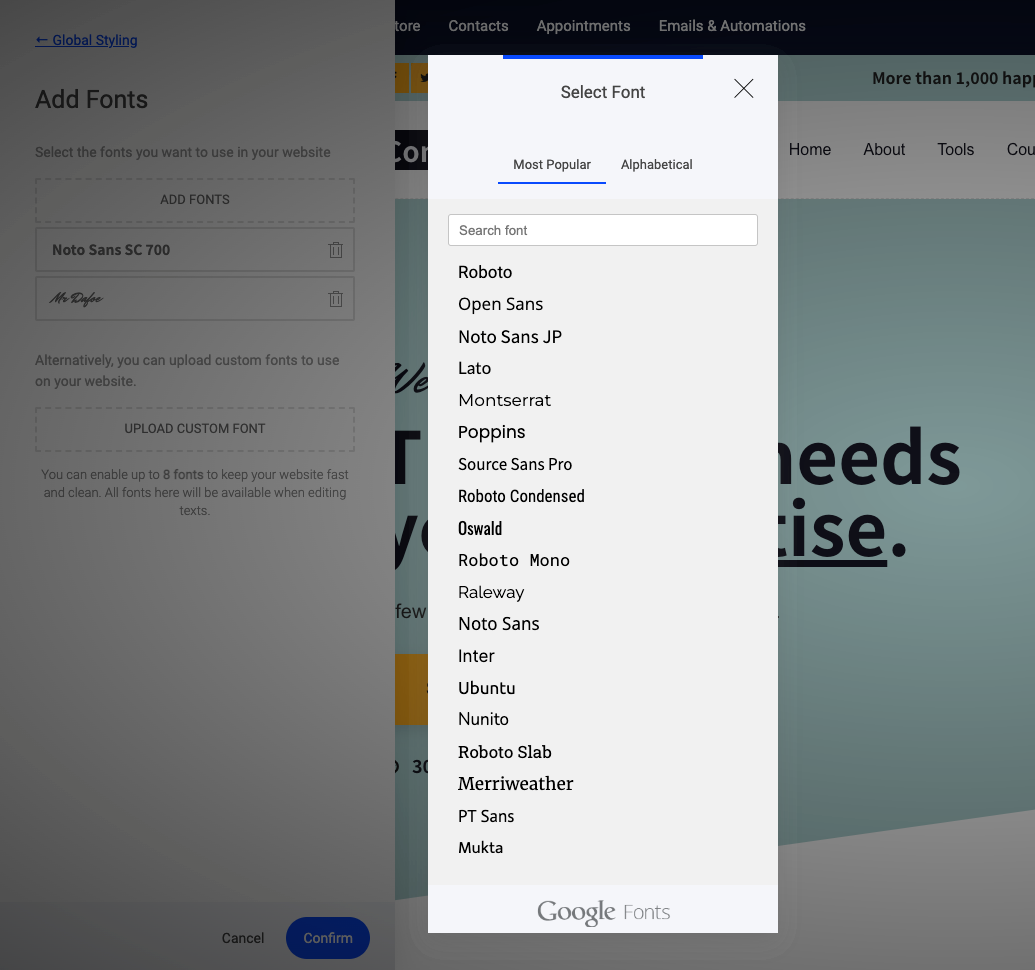
In the Fonts section click on Add Fonts to add one of the 900+ Google Fonts available for you. Keep in mind that we do not allow more than 8 custom fonts as it might slow down your website and for consistency throughout your desing.