
Page Restrictions
To access the page settings click on Pages and on top of each page you have a gear icon that opens the Page Settings. Then click on show settings.
Step 1
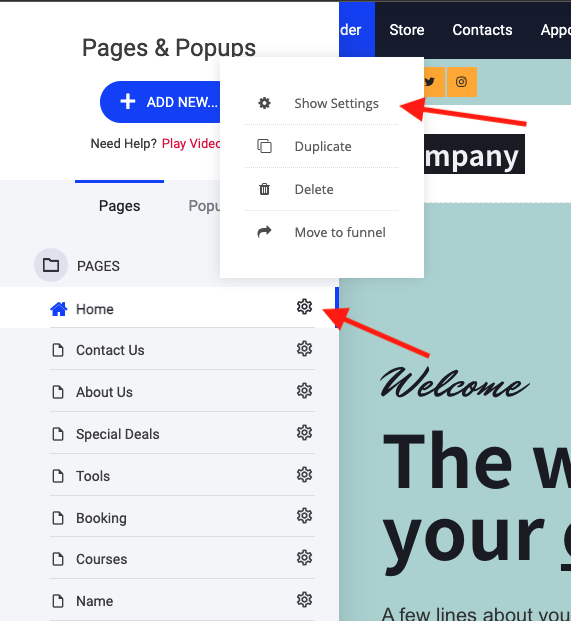
In the Page Settings you can adjust the access levels.
Step 2
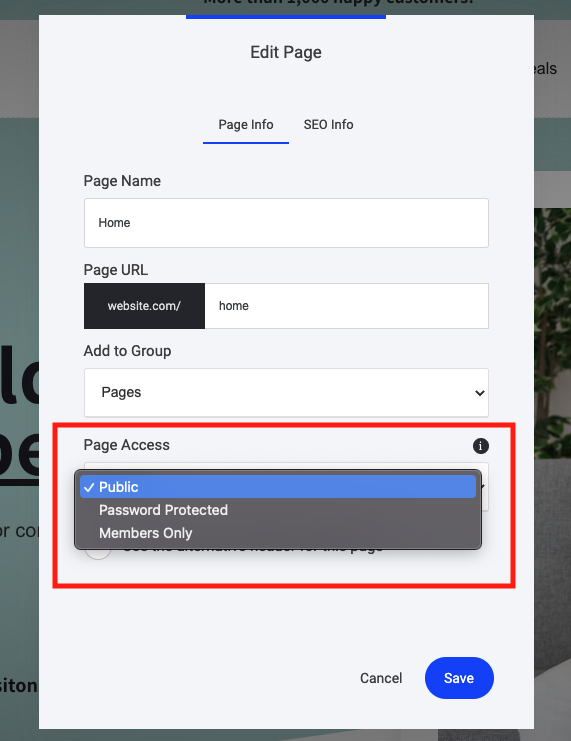
You can have the page:
Public - visible to everyone
Password Protected - requiring a password to access
Members Only - only members of a specific group would have access to that page